The Evolution of Hyper-Retention YouTube Editing in 2026
Creating viral content on YouTube has evolved from a creative art into a high-precision data science. Creators like MrBeast have permanently transformed audience expectations, demanding relentless visual pacing, dynamic sound effects, and rapid-fire visual hooks every three seconds.
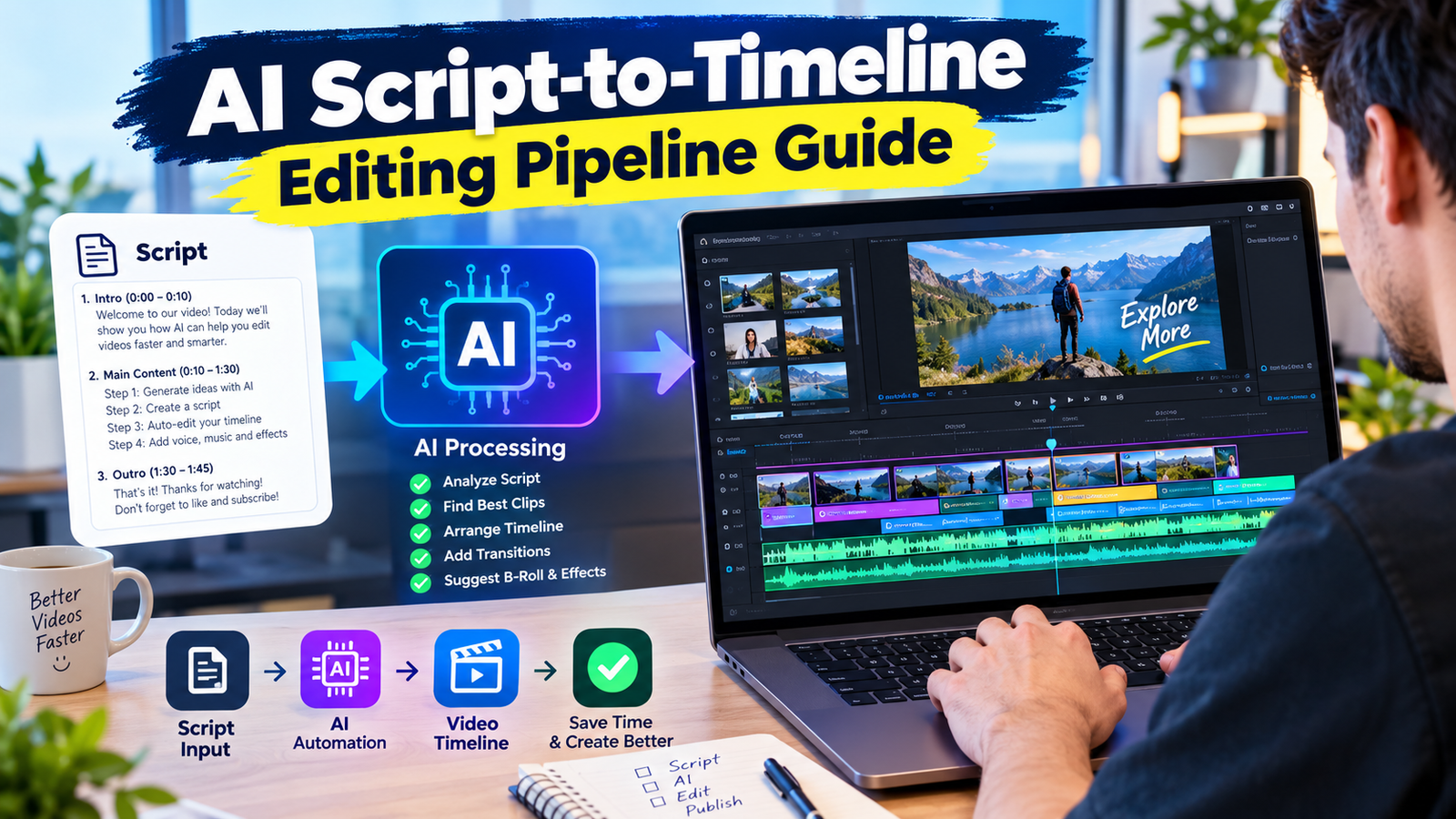
Building an automated AI Script-to-Timeline Editing Pipeline allows production teams to automatically generate fully assembled NLE project timelines directly from written scripts. By combining Large Language Models (LLMs), computer vision, and timeline interchange formats, editors can skip days of tedious assembly work and focus strictly on creative polish.
In this guide, we will break down the exact technical architecture, code concepts, and automation strategies needed to construct an end-to-end AI timeline generation pipeline built for maximum viewer retention.
Why Manual Editing Can No Longer Keep Up with Ultra-High Retention Demands
Traditional video editing workflows are inherently bottlenecked by human click speed. Standard YouTube videos require hours of bin organizing, rough cutting, audio syncing, and manual B-roll placement.
When targeting MrBeast-level engagement, an editor must place hundreds of jump cuts, text overlays, visual sound effects, and motion graphic callouts per minute. Performing these tasks manually for a ten-minute video takes anywhere from 40 to 80 hours of intensive labor.
Automating this process cuts rough assembly time down from days to seconds. By letting algorithms perform initial audio alignment, visual cue parsing, and timeline trimming, creators preserve their energy for high-level creative decisions.
Deconstructing the Automated Script-to-Timeline Architecture
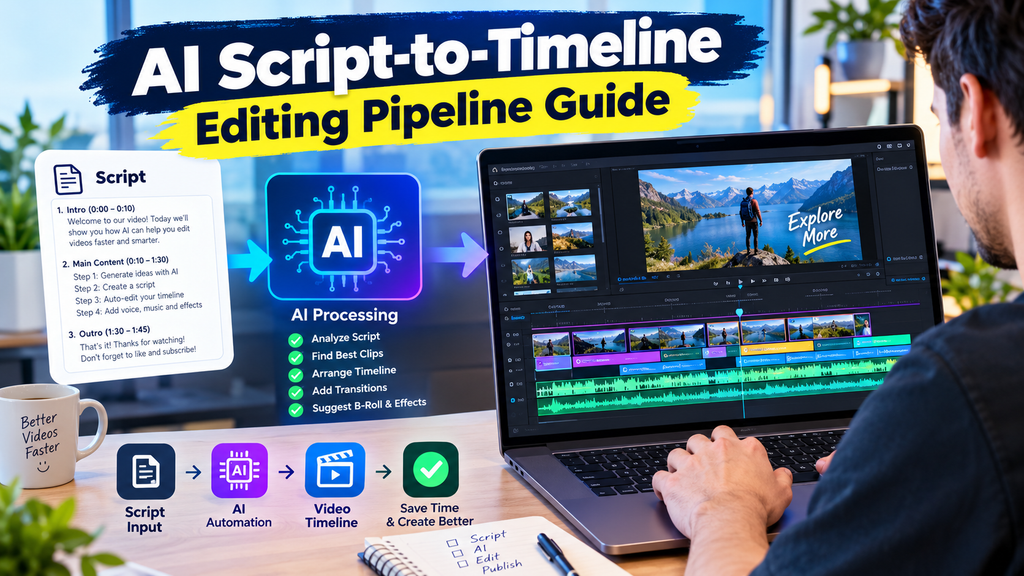
An automated editing pipeline consists of four distinct processing layers operating sequentially. Each stage transforms unstructured script data into structured timeline events:
- NLP Script Parser: Analyzes text scripts to detect emotional beats, visual cues, sound FX triggers, and pace speed requirements.
- Asset Matcher & Search Engine: Queries local stock libraries and generated asset folders to match visual keywords automatically.
- OpenTimelineIO / XML Generator: Translating timestamped edit decisions into standard timeline formats like Apple Final Cut Pro XML or AAF.
- NLE Plugin / API Executor: Automatically builds tracks, layers, clips, and transitions inside Adobe Premiere Pro, DaVinci Resolve, or Final Cut Pro.
By leveraging open standards like OpenTimelineIO (developed by Pixar), video engineers can target multiple non-linear editors using a single underlying Python script.
Step 1: Automated Script Parsing and Visual Intent Extraction
The foundation of any AI Script-to-Timeline Editing Pipeline begins with structured script analysis. Modern generative models can extract far more than simple spoken dialog.
By prompting advanced models with strict JSON output schemas, creators convert plain text scripts into actionable camera movement, visual cut rates, and sound design markers.
Ingesting Scripts and Structural Metadata Segmentation
When feeding a script into the pipeline, the system breaks text into discreet sentences and semantic blocks. Each block receives a series of algorithmic attributes:
- Spoken Line: The precise text meant for the voiceover artist or AI voice generator.
- Visual Action: Text descriptions specifying what should appear on screen (e.g., ‘Extreme close-up of dynamic timer countdown’).
- Retention Intensity Index (RII): A numeric score (1-10) dictating how fast the cut rate should be during this segment.
- Audio Trigger Keywords: Words that trigger automatic visual sound drops like risers, whooshes, and impact booms.
If you want to dive deeper into automated pacing rules, check out our guide on automating MrBeast’s 3-second rule with AI.
Generating Automatic B-Roll Placement Cues with LLMs
Once sentence boundary timestamps are established through forced alignment tools like Gentle or Whisper, the LLM maps visual assets to exact speech timestamps.
For instance, if the script states, ‘We dropped a million dollars into a giant shredder,’ the system identifies ‘million dollars’ and ‘giant shredder’ as primary visual search queries. The pipeline automatically fetches matching B-roll footage from local drives or stock media APIs and calculates exact trim points on Video Track 2.
Step 2: Algorithmic Timeline Assembly and XML Serialization
Once metadata parsing is complete, the Python pipeline translates clip timestamps into frame-accurate NLE project files. This eliminates manual drag-and-drop operations entirely.
Converting Script Metadata to OpenTimelineIO and XML Formats
Editing software imports external timelines using formatted XML structures. By programmatically building XML nodes, the pipeline places clips, specifies in/out points, and sets track hierarchies automatically.
Programmatic timeline generation transforms text prompts directly into frame-accurate multi-track edit sequences without rendering a single intermediate video file.
Below is a simplified example showing how Python generates a track clip structure using OpenTimelineIO:
- Define standard timeline framerate (e.g., 59.94 FPS or 60 FPS for hyper-smooth YouTube pacing).
- Create audio and video tracks sequentially (Video Track 1: A-Roll, Video Track 2: B-Roll overlay, Audio Track 1: Main Dialogue, Audio Track 2: Sound FX).
- Append `Item` instances with explicit `RationalTime` start boundaries and durations.
- Serialize the timeline object directly into `.xml` or `.otio` files for instant import.
Automating MrBeast-Style Retention Cutouts and Dynamic Zooms
Static talking-head footage instantly kills viewer retention. High-engagement channels combat this by applying subtle, rapid punch-ins every few seconds on key words.
The automated pipeline calculates spectral volume spikes and sentence start points to apply keyframed scale adjustments (e.g., jumping from 100% scale to 115% scale). The system alternates scale parameters on alternating cuts to keep the viewer’s eyes constantly stimulated.
Learn how to craft high-impact hooks using algorithmic script hooks in our breakdown of auto-generating MrBeast-style retention hooks.
Step 3: AI-Driven Audio Design, Sound FX, and Voice Syncing
Sound design accounts for over 50% of viewer retention in high-pacing YouTube edits. An empty audio track feels flat and unengaging regardless of how fast the video cuts are.
Integrating Auto-Generated Sound FX Drops at Key Pacing Markers
An elite audio pipeline places contextual sound effects automatically based on visual movement on screen. When a text pop-up appears, the system inserts a pop or swoosh sound on Audio Track 3.
By analyzing the emotional intensity of the script, the algorithm selects appropriate audio elements:
- High Energy Transitions: Heavy riser drops, cinematic braams, and fast air whooshes.
- Comedy & Funny Moments: Boing sounds, records scratches, and comedic record stops.
- Informational Callouts: Subtle digital clicks, UI ticks, and keyboard clacks.
For a detailed breakdown of audio layering strategies, read our guide on how to replicate MrBeast sound FX in Premiere Pro.
Auto-Ducking and Speech Alignment Algorithms
Background music must dynamically respond to voice activity. Using automated sidechain ducking algorithms, the background audio track automatically lowers its gain by -14dB whenever speech audio is detected on Audio Track 1.
When dialogue pauses occur, the music gain ramps back up smoothly over 300 milliseconds. This maintains non-stop energetic background momentum without drowning out the main narrator.
Step 4: Machine Learning Predictive Retention Optimization
Before exporting the final timeline for publishing, modern automated systems run predictive audience engagement models against the assembled visual track.
Simulating Viewer Drop-Off with Machine Learning Models
By training neural networks on millions of YouTube retention graphs, custom analytics models predict drop-off probability down to individual timestamps. The AI flags timeline regions where visual pacing stalls or audio dynamics remain static for longer than four seconds.
Iterative Timeline Polishing Before Final Render
If the predictive model flags a ‘low-engagement zone’ between seconds 01:15 and 01:22, the pipeline automatically inserts additional B-roll layers, speeds up audio gaps by 1.1x, or injects visual zoom punches until the retention score meets target thresholds.
Complete Python Tech Stack to Build Your Own Pipeline
Building a robust AI Script-to-Timeline Editing Pipeline requires linking several specialized open-source libraries and APIs together. Here is the standard modern stack used by video engineering teams:
- Python 3.11+: Core scripting and data transformation orchestration.
- OpenAI Whisper API / Gentle: Precise word-level audio forced-alignment and timestamp generation.
- OpenTimelineIO (OTIO): Cross-platform timeline creation and frame manipulation.
- MoviePy / FFmpeg: Fast asset duration probing and proxy video generation.
- Adobe CEP / ExtendScript API: Direct scripting integration into Premiere Pro for project manipulation.
By connecting these services into an automated script workflow, content studios scale video production tenfold while reducing labor costs exponentially.
Conclusion: Mastering the AI Script-to-Timeline Editing Workflow
Implementing a fully automated AI Script-to-Timeline Editing Pipeline is the ultimate competitive advantage for YouTube creators in 2026. By offloading rough cutting, sound effect placement, B-roll matching, and dynamic zooms to automated Python workflows, production teams can produce viral-grade content in a fraction of the time.
As AI video tools continue to mature, early adopters who master programmatically generated editing workflows will dominate YouTube retention metrics and capture maximum audience watch time.
Frequently Asked Questions (FAQs)
What is an AI Script-to-Timeline Editing Pipeline?
An AI Script-to-Timeline Editing Pipeline is an automated workflow that uses AI script parsing, forced-alignment speech recognition, and OpenTimelineIO script generation to automatically convert plain text scripts into editable project timelines in video editing software like Premiere Pro or DaVinci Resolve.
Which NLE video editors support automated script-to-timeline pipelines?
Most professional non-linear editors support timeline imports via industry standards like Apple Final Cut Pro XML (.xml), Advanced Authoring Format (.aaf), or OpenTimelineIO (.otio). This includes Adobe Premiere Pro, DaVinci Resolve, Final Cut Pro, and Avid Media Composer.
Can AI completely replace human video editors for MrBeast-style content?
No. AI automated pipelines handle approximately 70-80% of repetitive rough assembly tasks such as cutting silent pauses, placing initial B-roll overlays, setting sound effects, and generating dynamic zooms. Human editors are still necessary for fine-tuned pacing, emotional storytelling, and visual creative decisions.
What programming languages are best for building video editing automation tools?
Python is the primary programming language for building video automation pipelines due to its rich ecosystem of AI libraries (such as OpenAI Whisper, MoviePy, and OpenTimelineIO). ExtendScript and JavaScript are also used when scripting directly inside Adobe Premiere Pro CEP extensions.